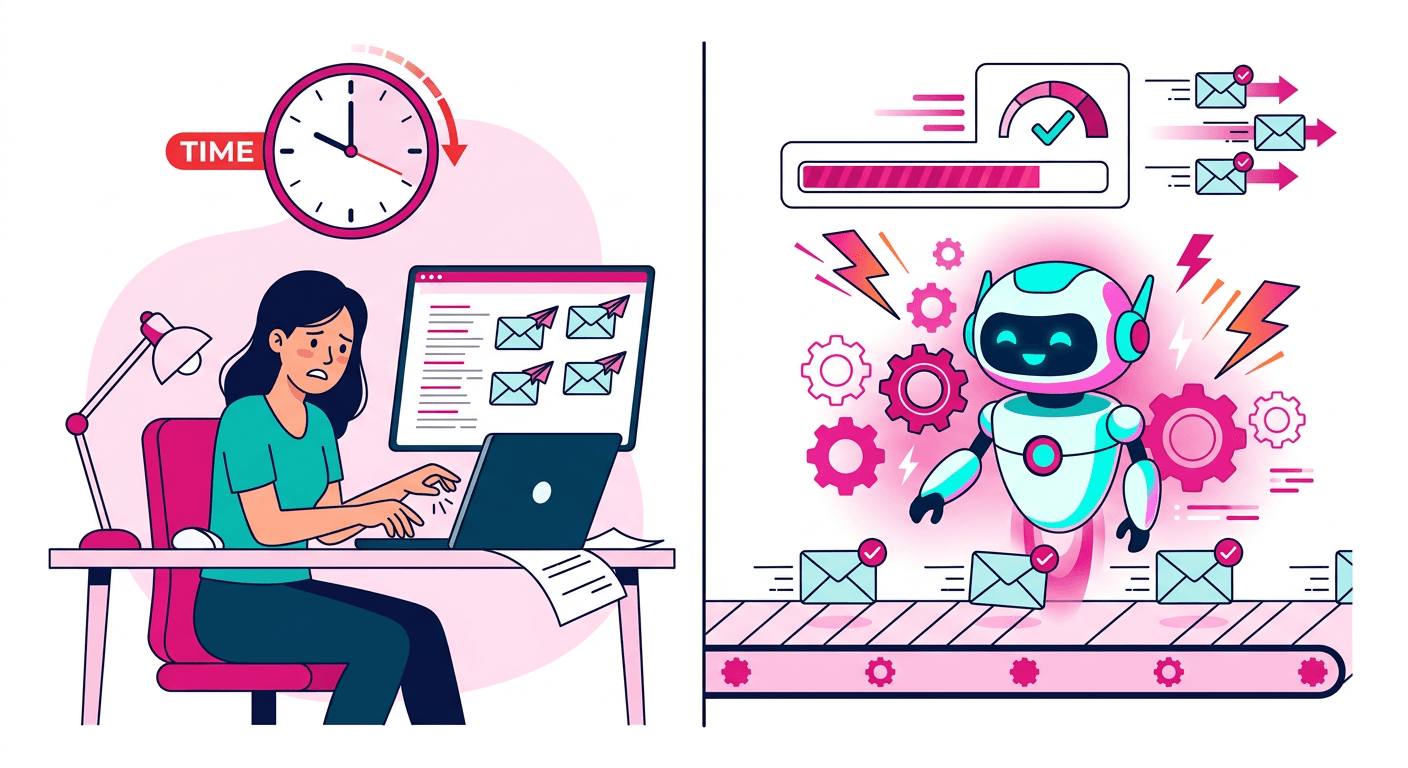
Manual vs Automated Email Warm-Up: Complete Comparison
Should you warm up emails manually or use an automated tool? Compare time, cost, effectiveness, and scalability of both approaches.
Stekpad Team
Email Deliverability Experts
The Warm-Up Dilemma
Every sender who launches a new email domain or mailbox faces the same unavoidable challenge: starting from zero reputation means starting from zero trust. Mailbox providers like Gmail, Outlook, and Yahoo have no data to determine whether your domain is a legitimate business or a spam operation, so they apply default skepticism to every message you send. Email warm-up is the process of resolving this problem by gradually building a positive sending history that providers can reference when deciding where to route your emails.
Email warm-up is not optional for anyone who depends on email as a business channel. Skipping it means sending campaigns to lists of thousands with inbox rates below 30%, burning through sender reputation before you have had a chance to build it, and spending weeks or months in recovery mode instead of generating revenue. But once you accept that warm-up is necessary, you immediately face a second decision: should you do it manually, or use an automated tool?
This comparison is not academic. The choice between manual and automated warm-up affects how much time you spend, how consistent your results are, how many mailboxes you can manage simultaneously, and ultimately how quickly you reach reliable inbox placement. The right answer depends on your specific situation, but the tradeoffs are consistent enough that clear guidance is possible.
Both approaches can work. Both have real limitations. The goal of this comparison is to give you the complete picture so you can make an informed decision based on your actual needs, not marketing claims from tool vendors. We will cover how each approach works in practice, a head-to-head comparison across key dimensions, and the specific situations where each approach makes sense.
Manual Warm-Up: How It Works
Manual warm-up is exactly what the name implies: you personally manage the process of gradually increasing your sending volume and generating the engagement signals that build sender reputation. In practice, this means identifying a pool of real contacts who will engage with your emails — colleagues, friends, professional contacts — and sending them emails that they will actually open and ideally reply to. Every email needs to be unique. Sending the same template repeatedly to the same pool of contacts generates a detectable pattern that spam filters flag within a matter of days.
The daily workflow for manual warm-up is more involved than most people realize before they start. You begin each morning by checking your bounce rates from the previous day's sends — any hard bounces above 1% require investigation before proceeding. Then you draft and send that day's quota of emails, which must be individually written or substantially varied to avoid template detection. You check your Google Postmaster Tools dashboard for domain reputation signals. You track which contacts opened and replied. You adjust the next day's send list based on engagement patterns. For a single mailbox, this process reliably takes 2 to 4 hours per day.
The consistency requirement is what makes manual warm-up genuinely difficult to sustain. Email providers weight recent signals heavily, which means sending every single day without exception is critical. A weekend where you decide to skip two days, or a busy week where you send 5 emails instead of 20, breaks the signal continuity that reputation systems depend on. The practical reality is that almost everyone who starts a manual warm-up eventually misses days, skips sessions, or sends inconsistent volumes — and each lapse slows the process and risks reputation setbacks.
Scaling manual warm-up beyond a single mailbox quickly becomes untenable. Each additional mailbox multiplies the time requirement roughly linearly. Two mailboxes means 4-8 hours per day. Five mailboxes — which is typical for a small sales team — means a full-time job dedicated to warm-up management. Agencies managing dozens of client domains find manual warm-up literally impossible at their operational scale. "Manual warm-up is feasible for one person managing one mailbox. At two mailboxes, the time cost starts to conflict with actual work. At five, it requires a dedicated hire." This scaling problem is the primary driver behind the adoption of automated warm-up tools.
There is also the content quality problem. Every warm-up email needs to be genuinely different from every other email to avoid template detection by modern spam filters. Writing 20 unique, natural-sounding business emails per day across five mailboxes means producing 100 pieces of unique content daily. Even experienced writers find this volume unsustainable for weeks at a stretch. The temptation to reuse phrases, sentence structures, or topics grows stronger over time — and that temptation, if acted on, erodes the very uniqueness that makes manual warm-up effective.
Automated Warm-Up: How It Works
Automated warm-up tools replace the manual workflow with software that handles scheduling, content generation, sending, receiving, and signal management automatically. At the most basic level, an automated warm-up tool connects to your mailbox via SMTP and IMAP, sends emails to a network of partner mailboxes, and ensures those emails receive positive engagement signals: opens, replies, and moves from spam to inbox when necessary. You connect your mailbox, set your target volume, and the system runs in the background while you focus on your actual work.
The quality of automated warm-up tools varies enormously, and that variance is what distinguishes tools that genuinely build reputation from tools that create the appearance of activity without the underlying substance. Legacy warm-up services built their networks around shared pools of actual user email accounts, exchanging emails between members. The problem is that mailbox providers have become increasingly effective at detecting the statistical signatures of automated warm-up networks: unnaturally high reply rates, emails exchanged between the same rotating set of addresses, engagement that happens within seconds of delivery, and content patterns that repeat across thousands of accounts.
The evolution of spam detection has made content quality the single most important differentiator between effective and ineffective automated warm-up. Modern spam filters at Gmail and Outlook use machine learning models trained on billions of emails that identify template patterns from structural features — not just obvious things like variable insertion markers, but subtle patterns like consistent paragraph length distributions, repeated transitional phrases, and predictable subject line structures. Tools that rely on templates or simple content variation algorithms are losing effectiveness as these models improve.
Stekpad takes a fundamentally different approach by using Groq's Llama 3.3 70B language model to generate genuinely unique email content for every single warm-up exchange. Not templates with variable insertion. Not pre-written content with minor variations. Actual AI-authored prose that varies in structure, vocabulary, tone, length, and topic for every email sent to every mailbox. Combined with a persona system that assigns distinct professional identities, industries, communication styles, and personality traits to each warm-up participant, the resulting email exchanges are statistically indistinguishable from authentic business correspondence. Stekpad also includes an adaptive ramp-up system that adjusts daily volume targets automatically based on real-time signals — bounce rates, spam complaint rates, inbox placement, and engagement data — so the warm-up adapts to your domain's specific reputation trajectory rather than following a predetermined schedule.
The operational difference for the user is dramatic. Instead of 2-4 hours per day of manual work per mailbox, Stekpad requires approximately 30 minutes of initial setup and then operates autonomously. The system monitors all relevant signals, adjusts volume when needed, pauses if problems arise, and alerts you when action is required. For teams managing multiple mailboxes, the time savings compounds significantly — five mailboxes that would require a full-time manual warm-up operator can be managed with the same 30 minutes of setup plus periodic dashboard check-ins.
Head-to-Head Comparison
Time investment tells the starkest story. Manual warm-up for a single mailbox requires 2-4 hours per day for 4 weeks — 56 to 112 hours total per mailbox. Automated warm-up with a quality tool requires 30 minutes of setup plus 5-10 minutes per day of monitoring — approximately 3-4 hours total per mailbox. For five mailboxes, manual warm-up demands 280-560 hours while automated warm-up requires roughly 5-6 hours. The time cost of manual warm-up does not just compete with warm-up itself — it competes with every other revenue-generating activity you could be doing.
Consistency is the dimension where manual warm-up fails most predictably. Automated tools send at precisely the same time every day with exactly the calibrated volume, generating the steady signal stream that reputation systems reward. Manual warm-up is disrupted by weekends, travel, illness, competing priorities, and simple human inconsistency. Reputation systems reward predictability; manual warm-up makes predictability difficult to sustain over four-plus weeks.
Content quality depends heavily on which automated tool you choose. Low-quality automated tools using templates or simple variation algorithms produce content that modern spam filters increasingly flag. High-quality tools using large language models like Llama 3.3 70B produce content that is genuinely indistinguishable from human writing. Manual warm-up can achieve excellent content quality if the writer is skilled and disciplined, but maintaining that quality across 20+ unique emails per day for four weeks is genuinely taxing.
Scalability is where automated tools have an absolute advantage. Manual warm-up does not scale — it requires linear time investment for each additional mailbox. Automated tools scale to dozens or hundreds of mailboxes with no meaningful increase in user time. For agencies, sales teams, and anyone managing more than two or three mailboxes simultaneously, automated warm-up is not just more efficient — it is the only operationally feasible option.
Cost comparison is more nuanced than it first appears. Manual warm-up has zero direct monetary cost but enormous opportunity cost — the hours spent could generate significantly more value applied elsewhere. Automated tools have a subscription cost but free up that time entirely. For a founder or sales professional, the opportunity cost of manual warm-up typically far exceeds the subscription cost of a quality automated tool. The break-even point varies by individual, but for most professionals billing at over 50 dollars per hour, automated warm-up pays for itself within the first week.
Monitoring is another clear advantage for automated tools. Manual warm-up requires checking Google Postmaster Tools, SNDS, blacklist databases, and engagement metrics manually every day. Missing a signal — a blacklisting event, a spike in bounces, a drop in placement — can mean days of reputation damage before you notice. Automated tools monitor all signals continuously and alert you the moment something requires attention, ensuring problems are caught and addressed before they compound.
When Manual Makes Sense (And When It Doesn't)
Manual warm-up genuinely makes sense in a narrow set of circumstances. If you are building a personal brand and have only one mailbox that you plan to use for low-volume, highly personalized outreach — under 50 emails per day — manual warm-up can work if you have the discipline to maintain consistency. The time investment is manageable at this scale, and you retain complete control over every piece of content. If your target senders are primarily close professional contacts who you know will engage genuinely, the quality of those engagement signals can be excellent.
Manual warm-up also makes sense if you are deeply skeptical of sharing mailbox access with third-party tools, even reputable ones. Some organizations in regulated industries have compliance requirements that restrict third-party access to email systems. In these cases, manual warm-up may be the only option, and accepting the time cost is preferable to violating compliance requirements. For these situations, building a rigorous manual warm-up workflow with daily checklists and accountability mechanisms can produce good results even if it is time-intensive.
Automated warm-up is essential for sales teams managing multiple sending mailboxes. A five-person SDR team typically runs one warm-up mailbox per rep plus one or two primary sending domains — six to seven mailboxes in total. Manual warm-up of this infrastructure would require a dedicated warm-up coordinator; automated tools handle it as background infrastructure. The same logic applies to agencies managing multiple client domains and to any business that regularly launches new sending domains for campaigns or product lines.
If you are managing more than one mailbox, the case for automated warm-up is essentially conclusive. The time savings alone justify the cost many times over, and quality tools like Stekpad provide better consistency, better monitoring, and — when AI-generated content is involved — comparable or superior content quality to what most users would produce manually. The only valid reason to choose manual warm-up over automated when managing multiple mailboxes is a hard technical constraint preventing third-party tool access.
The hybrid approach works well for some teams: use Stekpad's automated warm-up for infrastructure and consistency, while personally managing a subset of high-priority emails that you want to write yourself. The automated system handles the volume and consistency requirements while your personal touch is reserved for the contacts where it matters most. This approach captures the best of both methods without requiring you to choose one exclusively. Stekpad's dashboard gives you complete visibility into the automated warm-up activity so you always know exactly what is being sent on your behalf.
Get deliverability tips in your inbox
Join 2,000+ email professionals who receive our weekly newsletter with actionable tips on improving inbox placement, sender reputation, and email authentication.
No spam. Unsubscribe anytime. We practice what we preach.