Google and Microsoft Spam Filters: How They Work in 2026
Inside look at how Gmail and Outlook filter spam in 2026. Understand the signals they use and how to stay in the inbox.
Stekpad Team
Email Deliverability Experts
The Evolution of Spam Filtering
"Modern spam filters at Gmail and Outlook are not rule-based systems that check for keywords or blacklists — they are machine learning systems trained on billions of emails that make probabilistic assessments of intent, legitimacy, and recipient preference." Understanding this distinction is the foundation of effective deliverability strategy in 2026. Rules-based approaches — avoid the word free, keep image-to-text ratio below a certain percentage — were relevant to spam filters of a decade ago. Modern ML-based filters are far more sophisticated and far more difficult to game.
The evolution of spam filtering tracks closely with the evolution of spam itself. In the early 2000s, spam was relatively simple — high-volume sends of identical messages from obvious spam domains. Simple pattern-matching rules were sufficient to filter most of it. As spammers adapted to keyword filters, Bayesian statistical models became the standard approach in the mid-2000s. As spammers learned to evade Bayesian models, the industry moved toward reputation-based filtering in the late 2000s and early 2010s. Today, both Google and Microsoft use multi-layer neural network models that combine content analysis, sender reputation, authentication verification, recipient engagement history, and behavioral signals into a single holistic spam probability score.
The 2024 authentication mandates from Google and Yahoo were not just a technical requirement change — they were a statement about where spam filtering is heading. By making authentication a hard gate rather than a soft signal, Google effectively declared that any sender without properly configured SPF, DKIM, and DMARC is presumptively suspicious regardless of content quality or sender reputation. "The authentication mandate shift of 2024 represented the most significant change in spam filtering architecture since the introduction of IP reputation systems — and its effects on deliverability for non-compliant senders were immediate and severe."
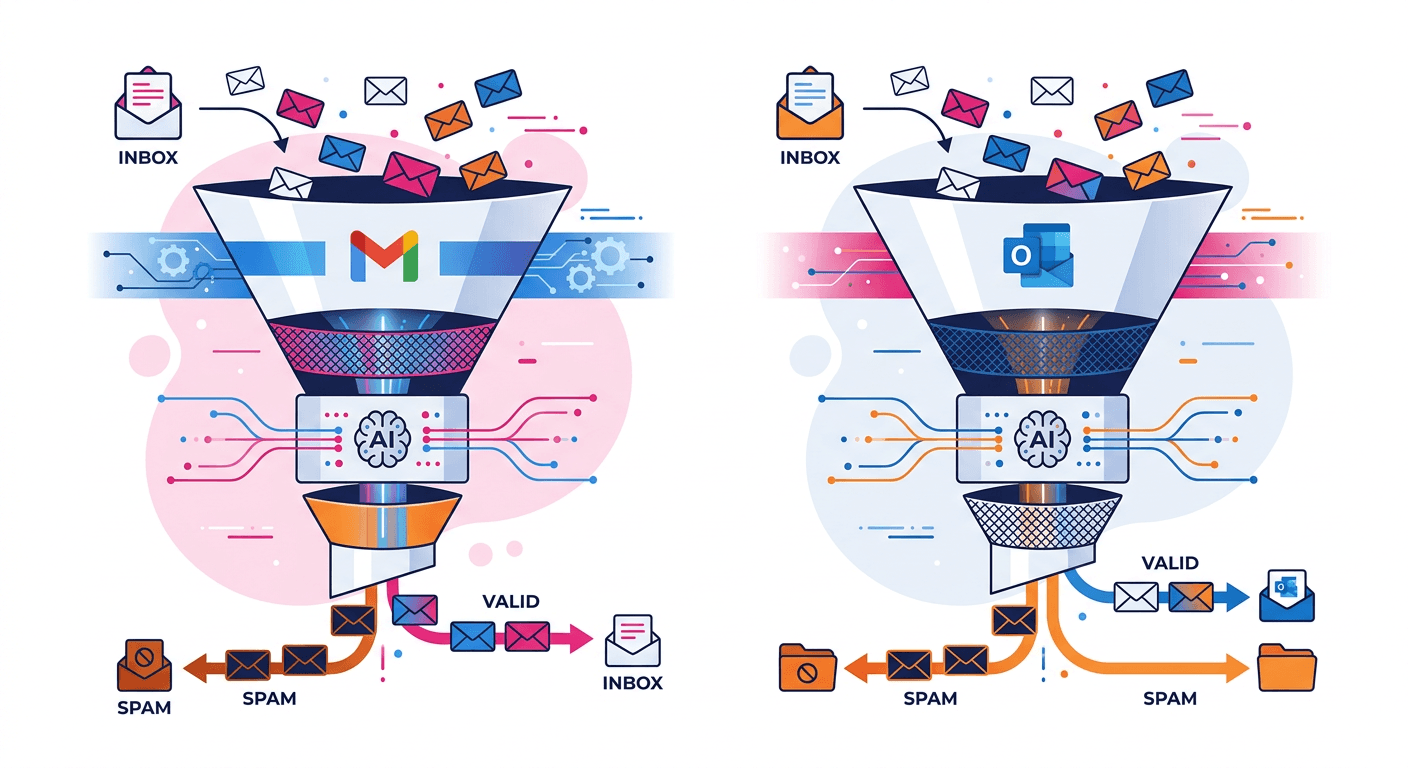
Understanding how each provider’s specific system works is valuable because Gmail and Outlook use meaningfully different filtering architectures with different signal weightings, different feedback mechanisms, and different paths to reputation recovery. A strategy optimized exclusively for Gmail can produce suboptimal results for Outlook, and vice versa. This guide explains each system in depth and concludes with the signals that both providers weight heavily — the common ground where optimizing for one provider automatically improves performance with the other.
How Gmail Filters Spam in 2026
Gmail’s spam filtering system operates at three distinct layers that each email passes through sequentially. The first layer is authentication and policy enforcement: Gmail checks SPF, DKIM, and DMARC alignment before any other analysis. Emails failing SPF or DKIM are immediately flagged for aggressive filtering or rejection, depending on the sending domain’s DMARC policy. This layer is binary — either pass or fail — and a failure here cannot be compensated for by positive signals at later layers.
The second layer is reputation scoring. Gmail maintains domain reputation scores and IP reputation scores for every sending entity it has seen. These scores are classified into four tiers visible in Google Postmaster Tools: None (new, unknown sender), Low (suspicious, heavy filtering applied), Medium (acceptable, standard filtering), and High (trusted, minimal filtering). The reputation score integrates dozens of signals including historical spam complaint rates, authentication compliance history, sending volume patterns, bounce rates, and engagement rates. "Gmail’s domain reputation system has a memory — domains that have sent spam in the past are treated with elevated suspicion for months even after cleaning up their practices, while domains with consistently clean histories receive progressively more inbox benefit of the doubt."
The third layer is content and engagement analysis, powered by Google’s ML models fine-tuned on Gmail’s trillion-email training dataset. This layer analyzes email content, structure, header patterns, embedded URLs, and recipient engagement predictions simultaneously. Gmail’s content analysis goes far beyond keyword detection — it models the probability that a specific recipient will want to receive this specific email based on their previous behavior with similar messages from similar senders. An email that looks like it was written for the specific recipient performs better than an email that looks like a broadcast to thousands of people, even if the content is identical.
The role of engagement signals in Gmail’s filtering deserves special attention. Gmail tracks recipient behavior after email delivery and feeds those signals back into its filtering models. When a recipient marks your email as spam, that signal reduces your domain reputation with Gmail. When a recipient opens your email, replies, forwards it, or moves it from spam to inbox, those positive signals improve your reputation. "Google Postmaster Tools is the closest thing Gmail offers to a conversation with its spam filter — monitoring it daily is non-negotiable for any sender who cares about Gmail deliverability." The spam rate chart is particularly valuable: it shows the percentage of your Gmail-delivered emails that recipients marked as spam.
Google Postmaster Tools is the primary feedback mechanism Gmail provides to senders. Register your sending domain, verify ownership via DNS record, and you gain access to daily charts showing domain reputation classification, spam rate, authentication pass rates, IP reputation, and delivery errors. Monitoring Postmaster Tools daily during warm-up and ongoing campaigns is the single most important operational habit for Gmail deliverability.
How Outlook Filters Spam in 2026
Microsoft’s Exchange Online Protection (EOP) and Defender for Office 365 form the filtering backbone for Outlook.com, Hotmail.com, and all Microsoft 365 business email accounts. Microsoft’s filtering architecture differs from Gmail’s in several important ways. EOP applies significantly more weight to IP reputation relative to domain reputation compared to Gmail. While Gmail’s domain reputation system is the primary determinant of inbox placement for established senders, EOP’s IP reputation often plays an equal or greater role.
Microsoft’s SmartScreen technology has been integrated into Outlook’s email filtering to provide URL reputation analysis at the link level. Every URL in an email is checked against Microsoft’s SmartScreen database, which tracks malicious links, phishing URLs, and domains associated with spam campaigns. "Microsoft’s URL-level filtering is more aggressive than Gmail’s — a link to a newly registered domain or a URL shortener with no reputation history can trigger SmartScreen warnings even when the content at the destination is completely legitimate." Use your own tracking domain with clean reputation for all links, and avoid URL shorteners entirely in email campaigns.
The Smart Network Data Services (SNDS) program is Microsoft’s equivalent of Google Postmaster Tools. Register your sending IP addresses at postmaster.live.com to access daily reports showing your IP’s health status (green, yellow, or red), spam complaint rates from Outlook.com and Hotmail.com users, and spam trap hit data. A red status in SNDS means Microsoft is blocking most or all emails from that IP. Unlike Google Postmaster Tools, which shows domain reputation, SNDS reports are IP-level only.
Microsoft also operates the Junk Email Reporting Program (JMRP) and the Sender Support Portal, which provide feedback loops and direct support channels for legitimate senders experiencing deliverability issues with Microsoft properties. The JMRP allows you to receive copies of spam complaints from Outlook.com users who mark your emails as junk. "Microsoft’s feedback loop data is more granular than Gmail’s complaint rate aggregate — JMRP reports include the specific email that was marked as junk, allowing you to identify the exact message, campaign, and list segment driving complaints."
Key Differences Between Gmail and Outlook Filtering
The most significant architectural difference is the IP vs. domain reputation weighting. Gmail’s reputation system is domain-centric — domain reputation is the primary filter gate, and IP reputation is a secondary signal. Microsoft’s EOP is more IP-centric — a sending IP’s reputation history carries significant weight independently of the domain being sent from. This has practical implications: if you change email service providers, your Gmail performance will be relatively insulated from the IP change as long as your domain reputation is strong, while your Outlook performance may degrade temporarily until your new sending IPs accumulate positive reputation.
Engagement signal feedback loops work differently at each provider. Gmail’s engagement signals are collected continuously and updated daily in Postmaster Tools. Microsoft’s SNDS updates IP reputation scores on a longer cycle. This means Gmail reputation responds faster to positive changes while Microsoft reputation changes more slowly in both directions. Recovery from Outlook IP reputation damage is often slower than recovery from Gmail domain reputation damage because the feedback loop is less granular.
Content analysis approaches also differ. Gmail’s content analysis benefits from its massive training dataset of Gmail user behavior, making it particularly effective at detecting content patterns that Gmail users dislike. Outlook’s content analysis is tuned more toward corporate email patterns and Microsoft 365 user behavior. "Emails that perform well with Gmail users — conversational, personalized, mobile-optimized content — also tend to perform well with Outlook users, but enterprise-targeted content with formal business language performs relatively better with Outlook than with consumer Gmail accounts."
The handling of unrecognized senders differs notably. Gmail applies graduated filtering based on domain reputation, routing emails from unknown but not suspicious domains to spam with moderate probability. Outlook applies a more binary initial treatment to unrecognized senders — emails from domains with no established reputation at Outlook tend to either land in inbox or be blocked outright, with less of the graduated spam-folder treatment that Gmail applies. This makes proper warm-up even more important for Outlook.
What Both Providers Prioritize: Authentication and Engagement
Despite their architectural differences, Gmail and Outlook converge on two categories of signals as the most heavily weighted determinants of inbox placement: authentication compliance and recipient engagement. Authentication compliance — SPF passing, DKIM signing and verification, DMARC policy published and enforced — is the prerequisite that both providers treat as a binary gate. A domain that fails authentication is suspicious by definition at both providers. Getting authentication right is not a differentiator for inbox placement; it is the minimum standard for participating in the inbox-eligible category.
Recipient engagement is the signal category that most significantly differentiates high-reputation senders from average senders at both providers. Both Gmail and Outlook track how recipients interact with your emails — opens, clicks, replies, forwards, moves to primary inbox, marks as not spam, and conversely, marks as spam, deletes without reading, and unsubscribes. "The senders with the highest inbox placement rates at both Gmail and Outlook are not those with the cleanest technical configurations — they are those whose recipients consistently demonstrate through their behavior that they want to receive the emails." Once your authentication foundation is verified with Stekpad's free SPF Checker, DKIM Checker, and DMARC Checker, building that engagement signal base through a structured warm-up process is the fastest path to High reputation classification at both providers.
List hygiene practices that maintain high engagement rates serve both providers simultaneously. Removing disengaged subscribers — those who have not opened or clicked in 90-180 days — raises the average engagement rate of your remaining list, which improves both Gmail domain reputation and Outlook IP reputation. Sending exclusively to permission-based, confirmed opt-in subscribers reduces spam complaint rates with both providers. The practices that optimize for one provider’s filtering system tend to optimize for the other’s as well, because both systems are ultimately trying to solve the same problem: ensuring recipients receive emails they want.
The frequency of sending also matters to both providers. Gmail’s reputation system weights the ratio of engaged to total emails — sending to disengaged subscribers alongside engaged ones dilutes your engagement ratio and reduces reputation points. Outlook’s IP reputation system is sensitive to sudden volume increases from a given IP, which can trigger rate limiting even from IPs with good historical reputation. "Sending the right volume to the right recipients at a steady, consistent pace is the strategy that maximizes inbox placement at both Gmail and Outlook simultaneously — it maintains engagement ratios, avoids volume anomaly detection, and generates the continuous positive signal flow that both reputation systems require."
Optimizing for Both Providers with Stekpad
Stekpad’s platform is built around the signals that both Gmail and Outlook weight most heavily: authentication compliance, engagement quality, sending consistency, and reputation monitoring. The authentication verification built into Stekpad’s onboarding flow ensures SPF, DKIM, and DMARC are correctly configured before any email is sent — preventing the authentication failures that both providers treat as hard disqualifiers. Daily authentication monitoring alerts you immediately if any record changes or breaks.
The AI-generated warm-up content system produces genuine engagement signals that both Gmail and Outlook recognize as positive. Rather than automated interactions that both providers are increasingly effective at detecting, Stekpad’s warm-up engine generates conversational emails using Groq’s Llama 3.3 70B model, creating exchanges that produce genuine opens, genuine replies, and genuine multi-turn threads. These engagement signals register as positive reputation inputs at both providers simultaneously. "Building Gmail domain reputation and Outlook IP reputation simultaneously through the same warm-up process is only possible when the engagement signals are genuine — automated interactions produce signals only one provider’s system recognizes while the other filters them out."
Stekpad’s Health Score dashboard provides a unified view across the provider-specific metrics that matter most: Gmail domain reputation from Postmaster Tools, Microsoft SNDS IP reputation status, blacklist coverage across 50+ lists used by both providers’ infrastructure, and inbox placement rates broken down by Gmail, Outlook, Yahoo, and others. This cross-provider visibility is essential for identifying provider-specific issues — a sender whose Gmail placement is 95% but whose Outlook placement is 65% has an Outlook-specific issue that requires targeted investigation, while a sender with consistently poor placement across all providers has a systemic authentication or reputation issue.
The adaptive ramp-up engine in Stekpad simultaneously manages the signals both providers care about: it maintains consistent daily sending patterns that avoid Outlook’s volume anomaly detection, ensures engagement ratios stay high by gating volume increases on engagement performance, monitors bounce rates that affect both Gmail domain reputation and Outlook IP reputation, and alerts immediately on blacklist appearances. "The most effective email deliverability strategy in 2026 is not to optimize separately for Gmail and Outlook — it is to optimize for the engagement quality and authentication compliance that both providers reward, and let Stekpad’s monitoring surface any provider-specific issues that require individual attention."
Get deliverability tips in your inbox
Join 2,000+ email professionals who receive our weekly newsletter with actionable tips on improving inbox placement, sender reputation, and email authentication.
No spam. Unsubscribe anytime. We practice what we preach.