Email Warm-Up Schedule: Day-by-Day Templates for 2026
Get proven day-by-day warm-up schedules for Gmail, Outlook, and custom SMTP. Templates for new domains, re-engagement, and high-volume senders.
Stekpad Team
Email Deliverability Experts
Why You Need a Warm-Up Schedule
"A warm-up schedule is not optional infrastructure — it is the single most important variable that determines whether your new domain earns inbox placement or gets permanently classified as a spam source." Mailbox providers like Gmail, Outlook, and Yahoo have spent over a decade training machine learning systems on billions of sending patterns. These systems know exactly what legitimate, gradually-ramping business email looks like — and they know what a brand-new domain trying to send 500 emails on day one looks like. The difference in treatment is stark: consistent inbox placement versus immediate filtering.
The consequences of ad-hoc sending from a new domain compound quickly. When your first batch of unscheduled emails triggers spam filters, those signals write themselves into your domain’s reputation profile instantly. Gmail’s Postmaster Tools will show your domain reputation dropping from ‘None’ straight to ‘Low’ within 48-72 hours of aggressive early sending. A ‘Low’ domain reputation means that even well-crafted, authenticated, fully-legitimate emails will be filtered on arrival. Rebuilding from ‘Low’ to ‘Medium’ or ‘High’ requires 30-60 days of careful, low-volume, high-engagement sending — a timeline far longer than a proper 30-day warm-up would have taken in the first place.
The ‘gradual’ principle behind warm-up schedules maps directly to how mailbox providers compute trust. Every major provider uses a rolling signal window — typically 7 to 30 days — when scoring your domain’s reputation. The score reflects your engagement ratio: positive signals (opens, replies, inbox-saves) divided by negative signals (spam complaints, hard bounces, deletions without reading). A new domain with zero history gets no benefit of the doubt; the first signals it generates are disproportionately weighted. This is why the first week of warm-up, when volume is lowest and recipient quality is highest, is the most important week of the entire process.
Beyond Gmail and Outlook, custom SMTP infrastructure — whether your own mail server or a transactional email platform like Postmark or AWS SES — carries its own IP-level reputation distinct from your domain reputation. If you are sending from a dedicated IP address, that IP starts with zero history too, and every major ISP treats unknown IPs with heightened suspicion. Shared IP pools managed by platforms like SendGrid or Mailchimp partially insulate new senders from IP-level reputation problems, but domain reputation is entirely your responsibility regardless of the sending platform you use.
Stekpad’s adaptive ramp-up system uses real-time engagement signals from every warm-up email to calibrate your daily sending target automatically. Rather than following a static schedule regardless of what your reputation signals say, the platform’s algorithm reads your current health score, bounce rate, and inbox placement rate to decide whether to accelerate, hold, or slow down your volume ramp each day. This adaptive approach consistently outperforms static schedules because it responds to your actual deliverability reality rather than an idealized projection. Use the Stekpad Warm-up Calculator to generate a baseline schedule for your target daily volume, then let the adaptive engine optimize it in real time.
The Standard 30-Day Warm-Up Template
The following schedule is designed for a new domain targeting 50-75 emails per day as its final sending volume — a typical goal for solo founders, small sales teams, and individual marketers. All volume targets assume that every email goes to a recipient who is likely to engage. "Sending to 10 highly-engaged recipients is worth more to your sender reputation than sending to 100 passive ones — quality of engagement matters far more than quantity of emails during warm-up."
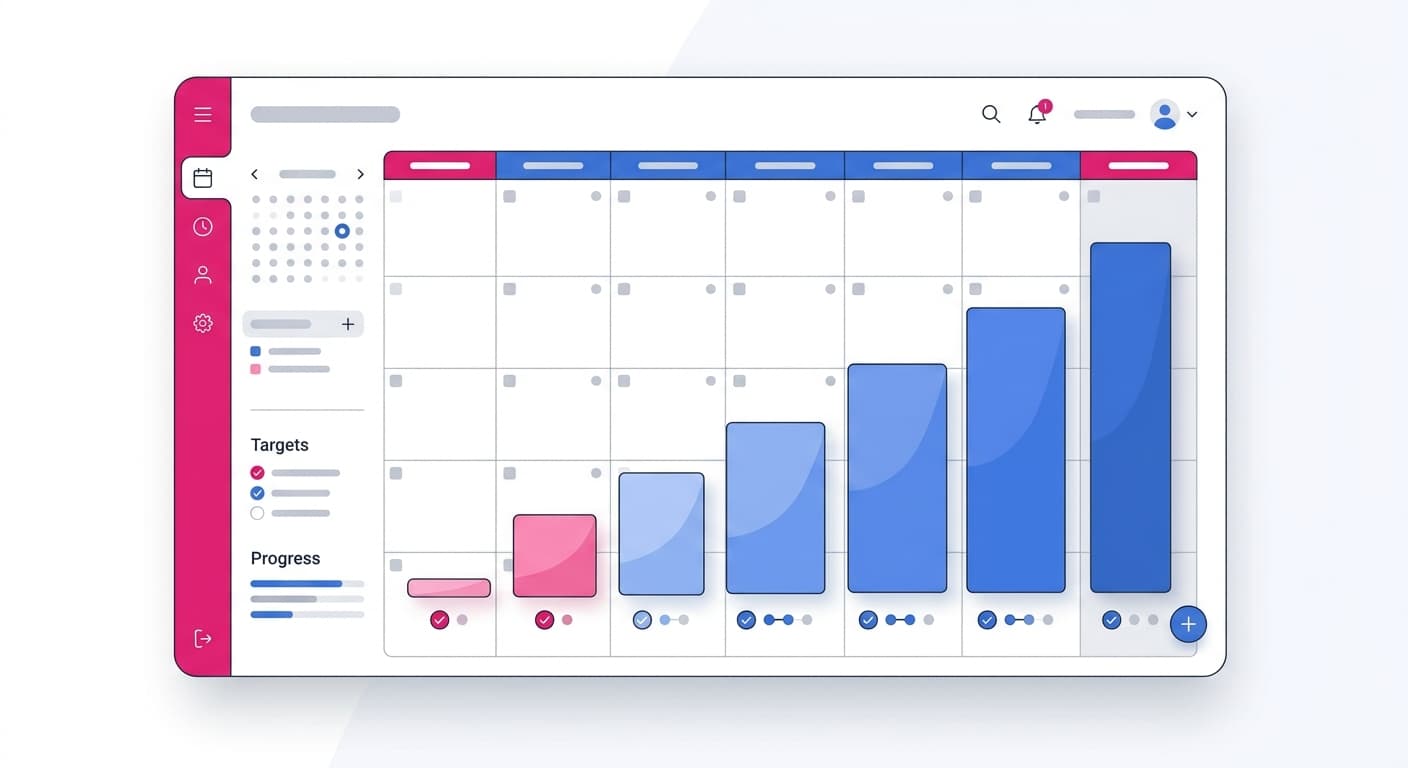
Week 1 — Days 1-7 (establishing the baseline): Day 1: 5 emails. Day 2: 5 emails. Day 3: 7 emails. Day 4: 7 emails. Day 5: 8 emails. Day 6: 9 emails. Day 7: 10 emails. Send exclusively to colleagues, warm contacts, or Stekpad’s warm-up partner network during this first week. Every email should be conversational and unique — no templates. Target 100% open rate and at least 50% reply rate. Check Google Postmaster Tools every morning starting on Day 2. Do not proceed to Week 2 if your spam complaint rate in Postmaster Tools is above 0.05%.
Week 2 — Days 8-14 (building momentum): Day 8: 10 emails. Day 9: 12 emails. Day 10: 13 emails. Day 11: 14 emails. Day 12: 16 emails. Day 13: 18 emails. Day 14: 20 emails. Begin diversifying recipients across providers — add Outlook.com and Hotmail.com contacts on Day 8-9, then Yahoo.com and AOL.com contacts on Day 11-12. Continue prioritizing engagement quality. Run a Stekpad inbox placement test at the end of Week 2 and target above 80% inbox rate across all providers before advancing. If bounce rate exceeds 1% on any day, pause for 24 hours and investigate list quality.
Week 3 — Days 15-21 (accelerating toward target): Day 15: 22 emails. Day 16: 24 emails. Day 17: 26 emails. Day 18: 28 emails. Day 19: 30 emails. Day 20: 33 emails. Day 21: 35 emails. This is the week when you can begin introducing contacts from your actual target list — but only the most engaged segment. Run your list through an email verification service before importing. Watch bounce rates carefully; Week 3 is when list quality issues surface. Check your domain reputation in Postmaster Tools — target ‘Medium’ or ‘High’ by end of Week 3. Any day with a hard bounce rate above 2% triggers an automatic pause in Stekpad’s adaptive engine.
Week 4 — Days 22-30 (reaching full volume): Day 22: 37 emails. Day 23: 39 emails. Day 24: 42 emails. Day 25: 44 emails. Day 26: 47 emails. Day 27: 49 emails. Day 28-30: 50+ emails. By Day 28, if you have maintained clean metrics throughout, your domain should have a solid ‘Medium’ or ‘High’ reputation with Gmail and ‘Good’ status in Microsoft SNDS. Run a final placement test — target above 90% inbox placement. "The senders who complete the full 30-day schedule consistently see 3-4x higher inbox placement rates in their first real campaign compared to senders who cut warm-up short at 2 weeks." After Day 30, continue scaling gradually — never jump by more than 25-30% in a single day, even after warm-up is technically complete.
Warm-Up Schedule for Gmail-Heavy Audiences
If your target audience skews heavily toward Gmail — which is true for most B2B SaaS companies, consumer brands, and e-commerce businesses — your warm-up schedule needs to be calibrated specifically for Google’s reputation systems. Gmail accounts for approximately 35-40% of all active email addresses globally and an even higher share in North America and Western Europe. Getting your Gmail reputation right is the highest-leverage deliverability investment you can make. "Gmail’s machine learning spam filters are the most sophisticated in the industry — but they reward genuine engagement signals more generously than any other provider once your reputation is established."
The Gmail-specific warm-up approach starts with activating Google Postmaster Tools on Day 1, before sending a single email. Postmaster Tools provides a daily domain reputation classification (None → Low → Medium → High) plus domain-level spam rate, delivery error rate, and IP reputation. These signals update with approximately 24-hour lag and are the most authoritative feedback loop available for your Gmail warm-up progress. Create a Postmaster Tools account, verify your domain by adding the required DNS TXT record, and bookmark the dashboard. Check it every morning during warm-up.
Gmail rewards engagement-first sending more strongly than volume-based milestones. During Weeks 1 and 2, send exclusively to Gmail addresses if possible — the positive engagement signals will accumulate faster and create a stronger reputation baseline before you expand to other providers. Prioritize recipients who routinely open email, reply to threads, and keep their inboxes organized. Avoid sending to old Gmail addresses that have been dormant for 12+ months — even valid addresses with zero recent activity are treated as low-engagement and dilute your signal quality.
Monitor your spam rate in Postmaster Tools closely. Gmail sets the safe threshold at below 0.10% spam complaints, but experienced deliverability professionals target below 0.05% during warm-up. If your spam rate creeps above 0.08% during Week 2 or later, do not advance your daily volume — hold at the current level for 2-3 days while the ratio stabilizes. Stekpad’s Health Score includes a real-time spam rate indicator that pulls from Postmaster Tools data and alerts you when you are approaching unsafe thresholds, so you can take corrective action before the reputation damage accumulates.
One Gmail-specific optimization: encourage recipients to add your sending address to their Google Contacts during the early days of warm-up. Gmail treats emails from known contacts with much higher trust than emails from unknown senders. Even a small number of contact-save actions in the first week can meaningfully accelerate your reputation building. Stekpad’s AI-generated warm-up emails include natural, conversational language that makes this request feel authentic rather than like a promotional prompt — a subtle but measurable difference in warm-up performance.
Warm-Up Schedule for Outlook and Microsoft 365
Microsoft’s email ecosystem — Outlook.com, Hotmail.com, Live.com, and Microsoft 365 corporate addresses — uses a distinctly different reputation infrastructure from Gmail. Where Gmail weights engagement signals (opens, replies, contacts) most heavily, Microsoft’s Exchange Online Protection (EOP) places heavier emphasis on IP reputation, authentication compliance, and sender volume history. "Microsoft’s spam filters are more conservative than Gmail’s and slower to grant trust to new domains — a warm-up schedule calibrated for Outlook requires an extra week of conservative sending compared to a Gmail-only schedule."
Register for Microsoft SNDS (Smart Network Data Services) on Day 1 of your warm-up. SNDS provides IP-level reputation data including complaint rate, trap hits, and a color-coded reputation status (green/yellow/red) that updates daily. Unlike Postmaster Tools, SNDS tracks IP reputation rather than domain reputation, which means it is especially important if you are warming up a dedicated sending IP alongside your new domain. A red IP status in SNDS can override good domain authentication and send your emails to junk regardless of content quality.
The recommended Outlook-specific schedule adds a conservative buffer to the standard 30-day template. For the first 10 days, limit Microsoft-destined emails to no more than 30% of your total daily volume. Focus the majority of early send volume on Gmail, where you get faster reputation feedback. From Day 11-20, increase Microsoft volume to 40-50% of daily sends while monitoring SNDS daily. By Day 21, if your SNDS status is green and your Hotmail.com/Outlook.com inbox placement rate is above 80%, you can treat Microsoft addresses the same as Gmail addresses for volume allocation purposes.
Microsoft is particularly strict about bounce rates. A hard bounce rate above 0.5% from Microsoft-destined emails can trigger a sending block from EOP, where your emails are rejected with a 550 5.7.1 error. To avoid this, verify all Microsoft email addresses with a real-time verification service before sending and remove any addresses that have not engaged in the past 6 months. Stekpad’s adaptive engine treats Microsoft bounce signals as a separate metric from aggregate bounce rate — if Microsoft-specific bounces spike while overall bounce rate remains low, the platform reduces the proportion of Microsoft-destined emails automatically.
If you are warming up for a Microsoft 365 corporate audience specifically (business emails on custom domains hosted on Microsoft 365), the warm-up dynamics are similar to consumer Outlook but with two additional considerations. First, many Microsoft 365 tenants have custom spam filter policies set by their IT administrators that are stricter than Microsoft’s defaults — no warm-up strategy can fully compensate for a recipient-side policy that blocks external senders. Second, Microsoft 365 emails are subject to both domain reputation scoring and IP reputation scoring by EOP, making IP warm-up alongside domain warm-up doubly important for dedicated-IP senders.
High-Volume Sender Schedule (100+ Emails/Day)
Sales teams, lead generation agencies, and growth-focused startups often need to reach 200-500 emails per day per domain within 45-60 days of launch. This volume tier requires a more structured approach than the standard 30-day template — specifically, a multi-mailbox strategy and a longer ramp duration. "Attempting to send 500 emails per day from a single mailbox is a deliverability anti-pattern regardless of how carefully you warm up — modern spam filters are calibrated to treat per-mailbox sending rates above 150-200/day as suspicious from unknown domains."
The multi-mailbox strategy distributes your target daily volume across multiple sending mailboxes, each warmed up independently. For a 500 emails/day target, a practical structure is five mailboxes sending 100 emails/day each. Each mailbox uses a different email address on the same domain (or related subdomains), each with its own DKIM signing key, and each warmed up on a staggered schedule — Mailbox 1 starts on Day 1, Mailbox 2 starts on Day 8, Mailbox 3 on Day 15, and so on. By Day 45, all five mailboxes have completed their individual 30-day warm-up cycles, and your aggregate daily volume has reached 500 emails/day without any single mailbox exceeding safe per-day limits.
The high-volume warm-up schedule for each individual mailbox follows an accelerated version of the standard template: Week 1 (Days 1-7): 5 → 15 emails/day. Week 2 (Days 8-14): 15 → 35 emails/day. Week 3 (Days 15-21): 35 → 70 emails/day. Week 4 (Days 22-28): 70 → 100 emails/day. This schedule is more aggressive than the standard template and requires correspondingly higher engagement quality — every email must generate opens or replies during Weeks 1-2 to build the positive signal density needed to support the faster ramp. Use Stekpad’s warm-up partner network to ensure sufficient high-quality engagement recipients at the volumes required.
Monitoring at high-volume scale requires tracking metrics per mailbox, not just in aggregate. A bounce spike in Mailbox 3 that is hidden in your aggregate stats can escalate into a deliverability crisis while your attention is on the other four mailboxes. Stekpad’s dashboard shows health scores, bounce rates, and inbox placement rates per mailbox as well as in aggregate, with per-mailbox alerts that fire independently. If one mailbox’s health score drops below 80, Stekpad automatically reduces that mailbox’s daily target while keeping the others on their normal schedule — a fail-safe that prevents one bad day from damaging your entire multi-mailbox infrastructure.
Domain rotation is a common tactic among high-volume senders that carries significant deliverability risks and is worth mentioning as a cautionary note. Rotating across multiple sending domains to distribute reputation load seems logical in theory, but mailbox providers have become highly effective at clustering related domains and applying reputation penalties across the cluster when abuse signals emerge from any domain in the group. Building a durable high-volume sending infrastructure on two or three well-warmed mailboxes per domain, using a small number of clean, well-aged domains, consistently outperforms a larger portfolio of domain-rotated mailboxes. Depth of reputation beats breadth of domains.
When to Adjust Your Schedule
No warm-up schedule survives contact with reality unchanged. The signals you receive during warm-up tell you precisely when to advance, hold, or retreat — and knowing how to read those signals is the difference between a successful warm-up and a stalled one. Stekpad’s adaptive ramp-up engine monitors five key triggers and adjusts your daily target automatically, but understanding the underlying logic helps you make better decisions when something unexpected happens.
Pause your warm-up immediately when: your hard bounce rate on any single day exceeds 3%, your spam complaint rate in Google Postmaster Tools exceeds 0.1%, your domain appears on any major blacklist (Spamhaus, SORBS, Barracuda), or your inbox placement rate drops below 60% in a placement test. These are hard stops, not soft warnings. Each of these events indicates a deliverability emergency that will worsen with continued sending. "The biggest mistake high-volume senders make is not pausing early enough — each additional email sent after a reputation signal turns negative makes recovery harder and longer." Stekpad automatically pauses your warm-up queue and triggers an alert with diagnostic information when any hard-stop threshold is breached.
Slow your ramp when: your bounce rate is between 1-3% for two consecutive days, your spam complaint rate is between 0.05-0.1%, your inbox placement test shows below 80% inbox placement, or your Postmaster Tools domain reputation is stuck at ‘Low’ after Day 10. In these cases, hold your current daily volume for 3-5 days rather than advancing. Let the engagement signals from continued sending at stable volume accumulate and pull your reputation metrics back into the safe zone before pushing volume higher.
Accelerate your ramp when: your Health Score is above 90, your inbox placement rate is above 95% in placement tests, your bounce rate has been below 0.5% for five consecutive days, and your Postmaster Tools reputation shows ‘High’. These are all indicators that your domain’s trust is ahead of schedule and you can safely increase volume faster than your baseline template prescribes. Stekpad’s adaptive engine can recognize this pattern and recommend an accelerated schedule — typically adding an extra 15-20% to your daily target compared to the baseline plan. Use the Stekpad Warm-up Calculator to model what an accelerated timeline looks like for your specific volume targets.
Mid-warm-up disruptions require special handling. If you make a DNS change (updating SPF, rotating DKIM keys, modifying DMARC policy) during an active warm-up, hold your sending volume at the current level for 24-48 hours after the change propagates while monitoring for authentication failures. If you add a new sending IP to your infrastructure mid-warm-up, treat that IP as a new warm-up starting from zero — never route warm-up traffic through an unwarmed IP. If you are re-engaging a previously warmed domain after a period of dormancy (60+ days without sending), treat it as a partial re-warm: start at 25-30% of your previous peak volume and ramp back up over 2-3 weeks rather than jumping straight back to full volume.
Get deliverability tips in your inbox
Join 2,000+ email professionals who receive our weekly newsletter with actionable tips on improving inbox placement, sender reputation, and email authentication.
No spam. Unsubscribe anytime. We practice what we preach.